Skip to content
Xsystems

Focus area

Office workstation lighting.

Headaches by mid-afternoon, tired eyes at the screen and a room that feels heavy even though it is bright. Good light is not just about being bright enough. It is about direction, color temperature, glare and daylight. We can measure the light level where the work is done and find out whether the lighting works with your employees or against them.

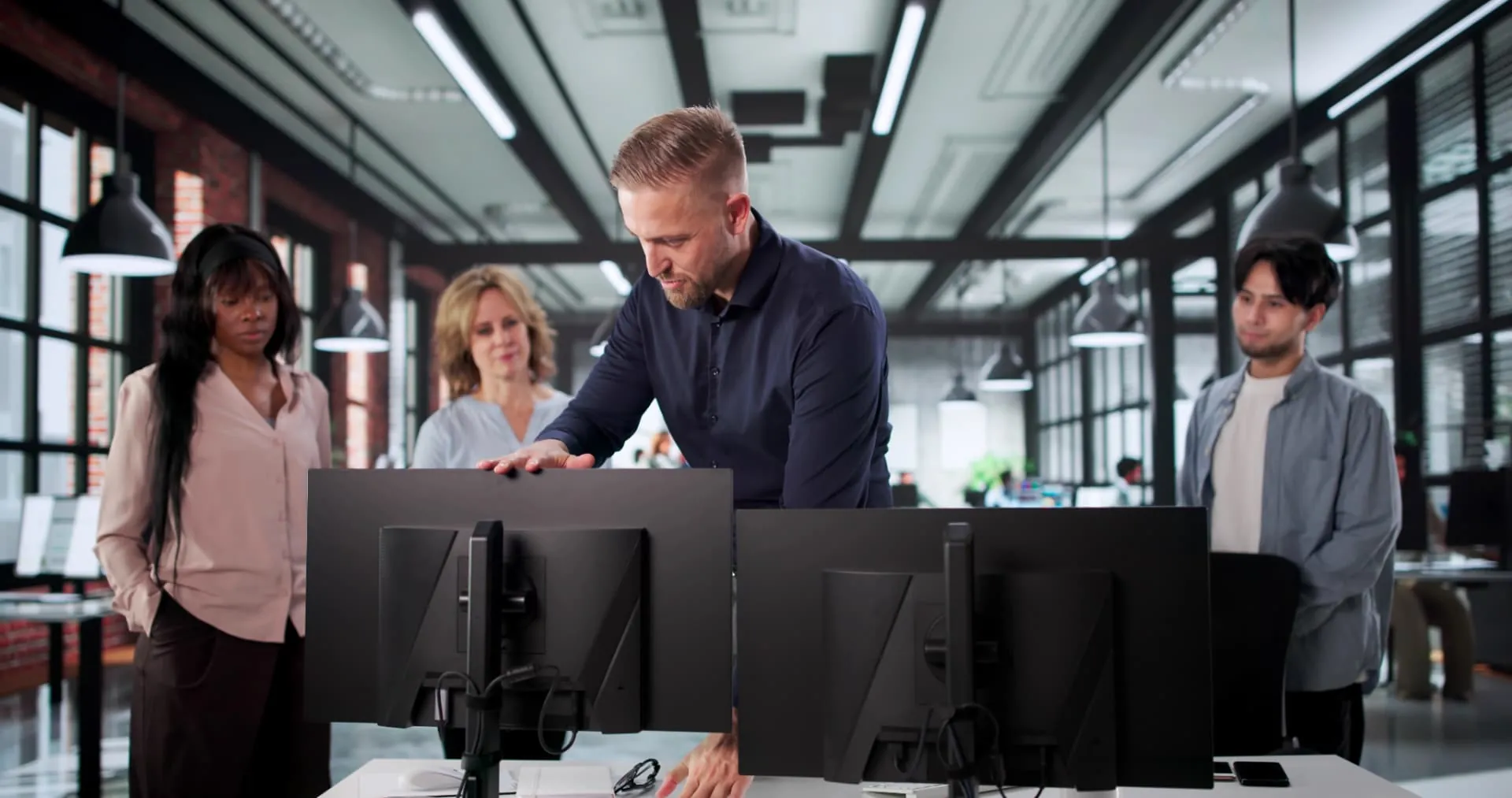
Desk with an ergonomic task lamp and daylight from a window

What we hear most.

Four situations that are almost always about workplace lighting.

  • Headaches and eye strain at the screen

    The contrast between a bright screen and dim surroundings wears out the eyes. When the lighting cannot be adjusted, the body ends up tensing the neck and forehead to compensate.

  • Glare on screens and glossy desks

    Lamps at the wrong angle, windows behind the screen or white desks create reflections that the eyes constantly have to work around. That drains concentration over the course of the day.

  • Cool light in the morning, warm in the afternoon

    When the color temperature does not match the time of day, it can affect both the body clock and energy levels. Office lighting should support the work, not work against the body.

  • Too little daylight in winter

    Dark mornings and short days mean that many employees barely see daylight during working hours. That affects sleep, mood and the ability to stay focused.

Our approach

Measurement before materials.

We don't sell workplace lighting as a package. We find out what the actual challenge is — where and when it occurs — and we only recommend what makes a difference.

  1. 01

    We can measure where the eyes do the work

    Light levels are logged at the workstation and at the desk. We look for too little light, too much glare and unsuitable contrasts.

  2. 02

    We map daylight and lamp placement

    The direction of windows, shading and existing lamps are compared with the work tasks. Often it takes only small changes to placement and angles to remove the worst glare.

  3. 03

    We start with changes that cost nothing

    Moving desks away from windows, adjusting the screen angle, toning down surfaces and using the existing blinds often solve more than you would expect.

  4. 04

    We recommend equipment when it adds value

    If the work surface is too dark, we point to desk lamps with adjustable brightness and color temperature and show where they make the biggest difference.

Screen work and lighting

Screen work has specific requirements: there must be enough light on paper and documents, but no glare on the screen. The workstation should be at a right angle to the window, and lamps should be placed so the light does not hit the screen directly.
Color temperature and the body clock

Cool, bluish light increases alertness in the morning, while warm light is better toward the end of the day. Adjustable lamps let employees adapt the light to the task and the time of day.

Daylight and wellbeing

Daylight is the most important factor for our body clock. A lack of daylight can lead to fatigue, reduced concentration and winter depression. Placing workstations and break rooms close to windows can make a noticeable difference.

Glare and dazzle

Glare from windows, lamps or light surfaces strains the eyes and makes people sit in awkward positions to avoid it. Anti-reflective treatment, matte surfaces and correct lamp placement are typical solutions.

Task lamps and individual adjustment

A good task lamp gives flexible, even light on the work surface without spreading light across the room. It should be dimmable and adjustable in color temperature so it suits both focused work and evening work.

Documentation

What research says about workplace lighting.

We rely on the same sources as the rest of our advice: the rules of the Danish Working Environment Authority, godtarbejdsmiljo.dk and the National Research Centre for the Working Environment.

  • 500 lux

    For regular desk work, a light level of about 500 lux on the work surface is recommended. For visually demanding tasks, the requirement can be higher.

    Danish Working Environment Authority · Lighting at permanent workplaces

    See the source
  • Headaches and eye irritation

    Poor lighting and glare can cause headaches, eye irritation, dry eyes and reduced concentration — symptoms that often disappear once the light is adjusted.

    godtarbejdsmiljo.dk · Noise, light and air

    See the source
  • Daylight affects sleep

    Enough daylight during the day helps regulate the body clock and sleep quality. A lack of daylight can increase fatigue and affect mood and performance.

    NFA (Denmark) · Work Environment and Health in Denmark

    See the source
  • Screen work

    For screen work, the lighting must be adjustable so it suits the individual employee and the task. There must be no dazzle or disturbing glare on the screen.

    Danish Working Environment Authority · Screen work

    See the source
  • APV requirement in Denmark

    Lighting is part of the physical work environment and must be assessed in the workplace assessment (APV) required by Danish law when employees experience problems. Measurements of light levels can be used as documentation.

    Danish Working Environment Authority · Workplace assessment (APV)

    See the source

Industries

Where it makes a particular difference.

Workplace lighting does not mean the same thing everywhere. Here are the workplaces where we are most often called in — and why.

  • Screen workstations

    Glare from ceiling fixtures and windows makes people turn down the lights — and then paperwork becomes too dark. Individual workplace lighting solves both.

  • Offices with aging employees

    The need for light rises significantly with age. The same lighting can be plenty for a 25-year-old and insufficient for a 55-year-old.

  • Meeting rooms and classrooms

    Light has to switch between presentations, screen viewing and note-taking. Adjustable brightness and color temperature matter more than the number of fixtures.

  • Industry and precision work

    In inspection, assembly and precision mechanics, brightness and color rendering decide whether defects are spotted. Here we can measure lux on the work surface itself.

Guide

Guide: how to choose the right workplace lighting.

Light is measured on the work surface, not at the ceiling. Here are the five things that decide the choice.

  1. 01

    Measure lux on the work surface itself

    Regular office work requires about 500 lux on the desk. Detailed work and inspection tasks need more. A measurement at ceiling height says nothing about what actually reaches the paper.

  2. 02

    Combine general lighting with a task lamp

    Ceiling lighting alone can rarely cover both the screen and paper. An adjustable task lamp lets each person raise the light level without dazzling the person next to them.

  3. 03

    Avoid glare and reflections

    Direct glare from fixtures and reflections in the screen are the most common reasons people turn the lights down. Shielding, placement and matte surfaces solve it.

  4. 04

    Choose the color temperature for the task

    3000K feels calm and warm, 4000K is neutral for regular office work, and 5000-6500K is crisp for inspection and precision work. Adjustable color temperature covers changing tasks.

  5. 05

    Look at color rendering (CRI)

    A CRI above 90 is relevant wherever colors must be judged correctly — inspection, assembly, laboratory and healthcare work.

  6. 06

    Give each person control

    The need for light rises with age and changes during the day. Dimming and an adjustable arm mean the lighting is actually used correctly.

Equipment for workplace lighting.

What we typically end up recommending — when the analysis points that way.

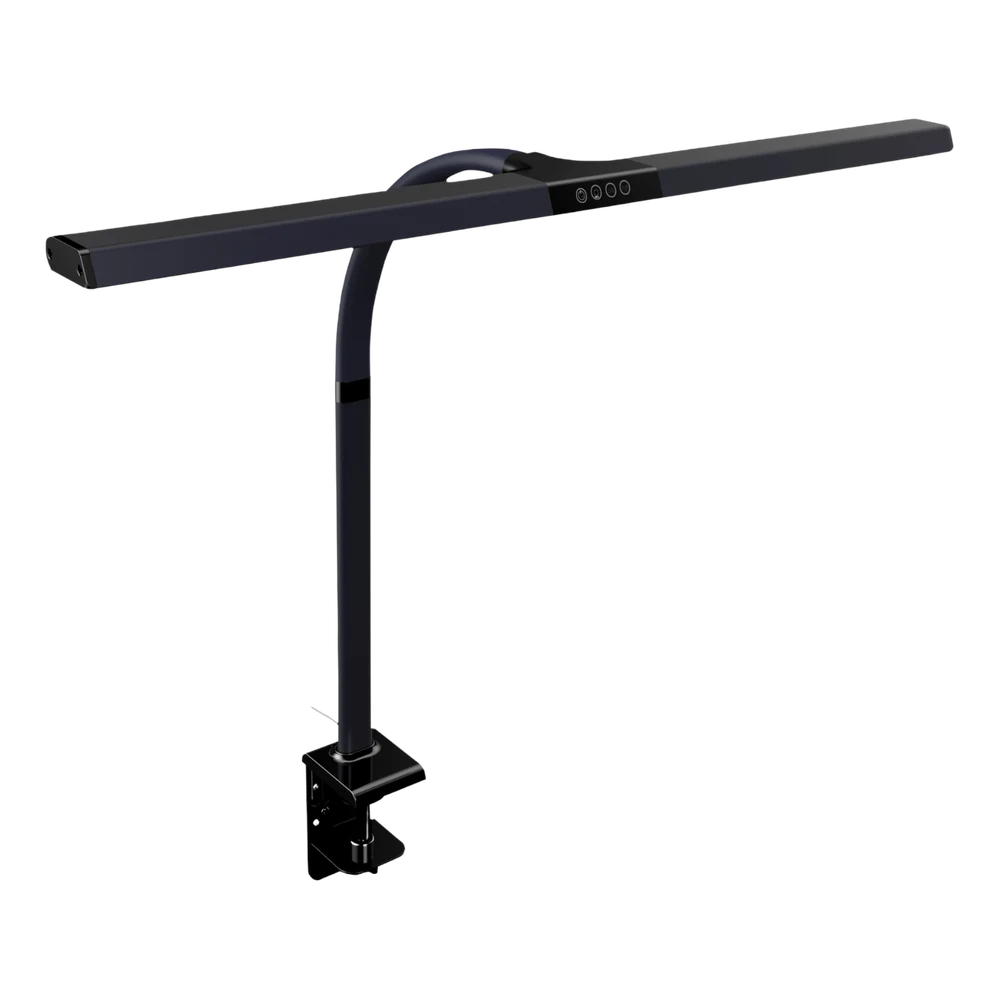
  • Desk Light Horizon — workplace lighting from Xsystems

    Desk Light Horizon

    • Adjustable workplace lighting
    • Increases energy and concentration
    • Reduces eye strain and headaches
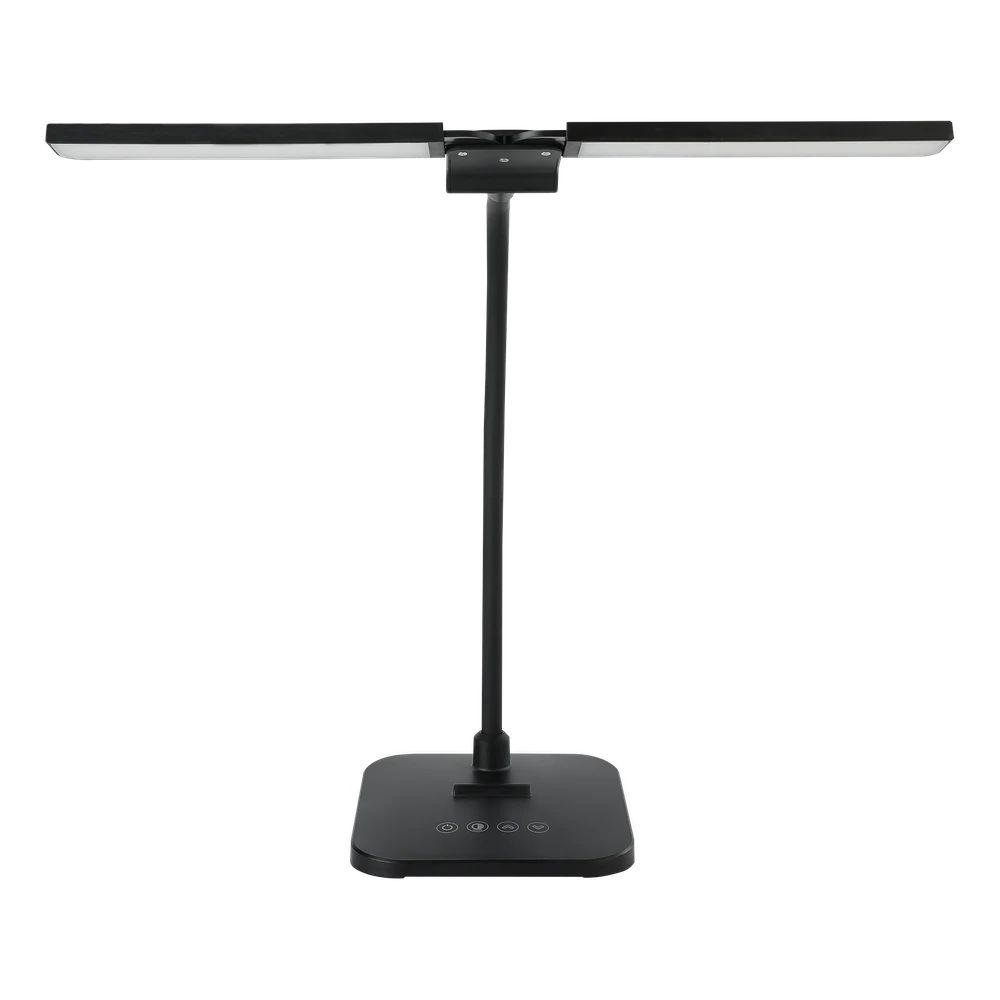
  • Desk Light Black — workplace lighting from Xsystems

    Desk Light Black

    • Adjustable workplace lighting
    • Increases energy and concentration
    • Reduces eye strain and headaches

Typical project — example

Office with 25 workstations and complaints of headaches.

Employees complained of headaches and tired eyes late in the day. We measured light levels and glare at every workstation. Most had either too little light or glare from the windows. The desks were turned, blinds adjusted and five desk lamps with adjustable color temperature were added. The figures below are a common outcome — your own come from the analysis.

Average light level
320 → 520 lux
Measurement period
3 days
Added in the first round
5 lamps

FAQ

Questions we get.

What is the right light level in an office?

For regular desk work, the recommendation is typically about 500 lux on the work surface. For more visually demanding tasks it can be higher. The most important thing is that the light is even and free of glare.

Why does poor lighting cause headaches?

Too little light, glare and contrasts make the eyes work harder. That can cause tension in the forehead, the neck and around the eyes, which is often felt as a headache late in the day.

What does color temperature mean?

Color temperature is measured in kelvin. Cool light around 4,000-6,500 K has an energizing effect, while warm light around 2,700 K is relaxing. Adjustable lamps give flexibility throughout the day.

Does it help to move desks and adjust blinds?

Often, yes. Many problems come from glare and poor placement relative to windows and lamps. The first adjustments cost nothing and can remove a large part of the problem.

Does lighting need to be part of the workplace assessment (APV) under Danish rules?

Yes. Lighting is part of the physical work environment, and if employees experience problems, it must be assessed in the workplace assessment (APV) required by Danish law. Our measurements and recommendations can be used as documentation.

What does it cost?

The work environment analysis is free and without obligation. Many adjustments — placement, blinds, screen angle — cost nothing. If equipment is needed, you get a complete estimate.

Shall we take a look at your lighting?

Tell us briefly how many workstations are involved, and a consultant will get back to you with a time.